
Download Xbox Controller Button Remapper – Xbox Series X|S, Share Button, PC Gaming, Screenshot, Video Recording
Overview
The Xbox Controller Button Remapper is a lightweight utility designed specifically for users of the Xbox Series X|S controller who play games on PC. Its primary purpose is to repurpose the Share button—often underutilized—into a powerful tool for capturing gameplay moments. By enabling users to assign custom actions to this button, the app enhances the overall gaming experience, particularly for those who value quick and seamless screenshot and video recording capabilities.
It addresses a common pain point among PC gamers: the lack of intuitive, built-in methods to capture high-quality visuals and recordings without relying on third-party software or complex key bindings. This tool streamlines the process, allowing users to focus more on gameplay and less on technical setup. The app is ideal for casual and competitive gamers, content creators, and streamers who frequently document their sessions.
Developed by Joe C. Jones, the application reflects a targeted approach to solving a niche but impactful problem in the PC gaming ecosystem. The developer did not provide additional technical details about their background, but the app’s clean design and efficient execution suggest a focus on usability and performance. Real-world use cases include capturing in-game achievements, recording highlight reels, or preparing clips for social media. In the broader context of gaming utilities, this tool fills a gap by offering a minimal yet effective solution for controller customization without overcomplicating the user experience.
Key Features & Functionality
- Share Button Repurposing: The core functionality allows users to map the Share button to take screenshots or start video recording, eliminating the need for external software or keyboard shortcuts.
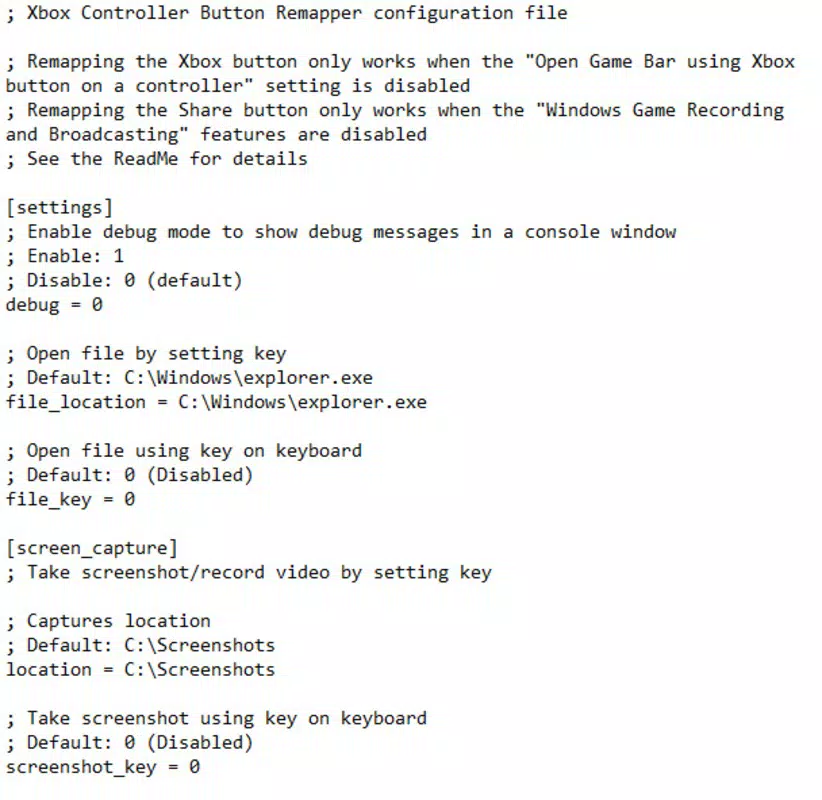
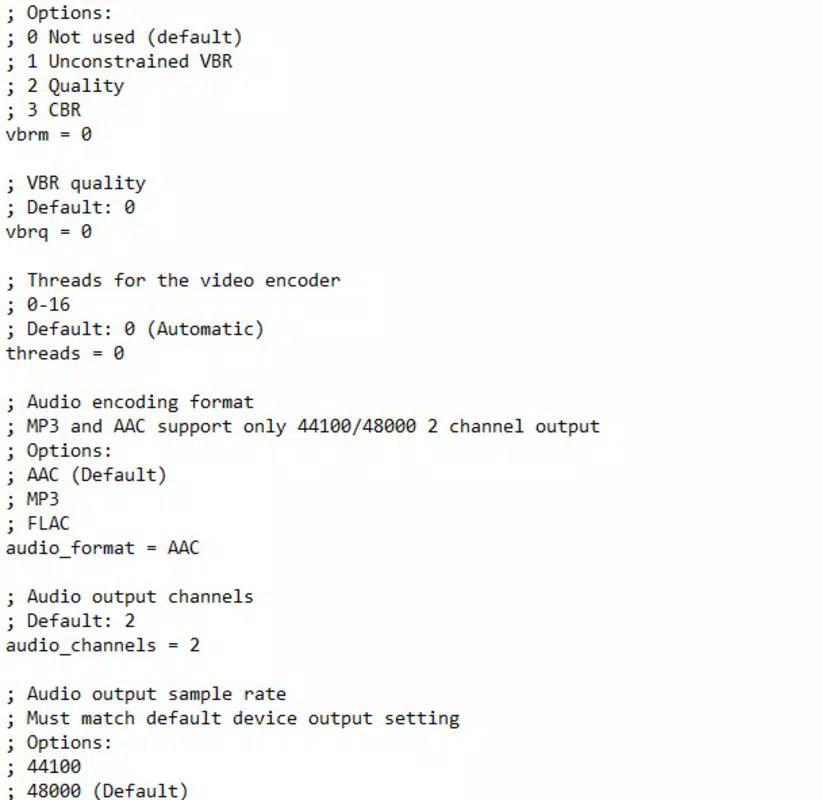
- Flexible Configuration via config.ini: Users can modify settings such as the screenshot save location, video format, and frame rate directly in a simple text file, offering full control without a complex interface.
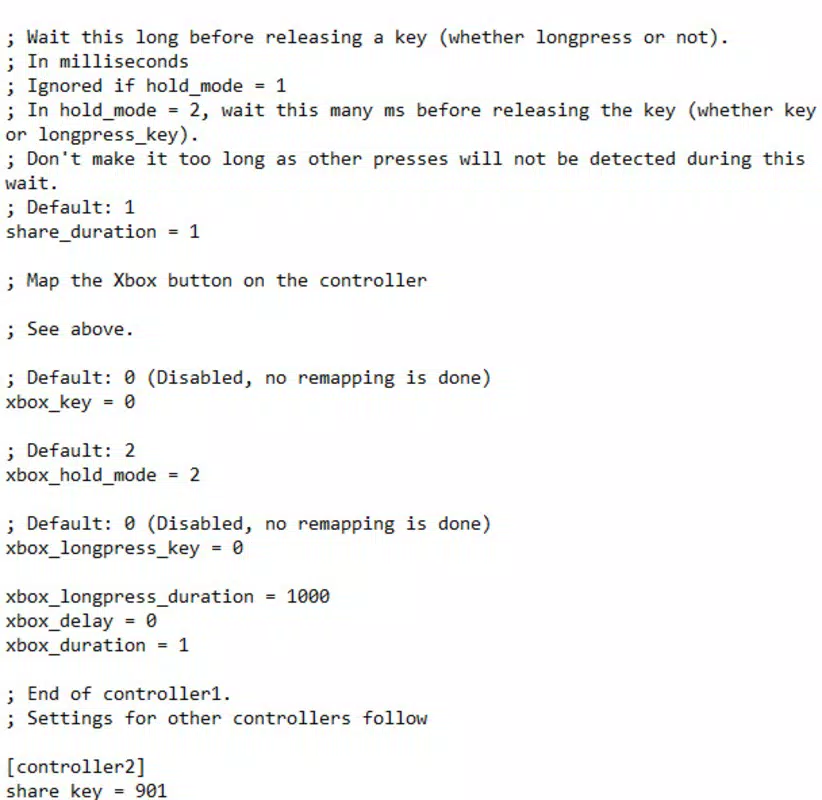
- Short vs. Long Press Differentiation: A notable feature enables distinct actions for short taps (e.g., screenshot) and long presses (e.g., video recording), improving workflow efficiency during intense gameplay.
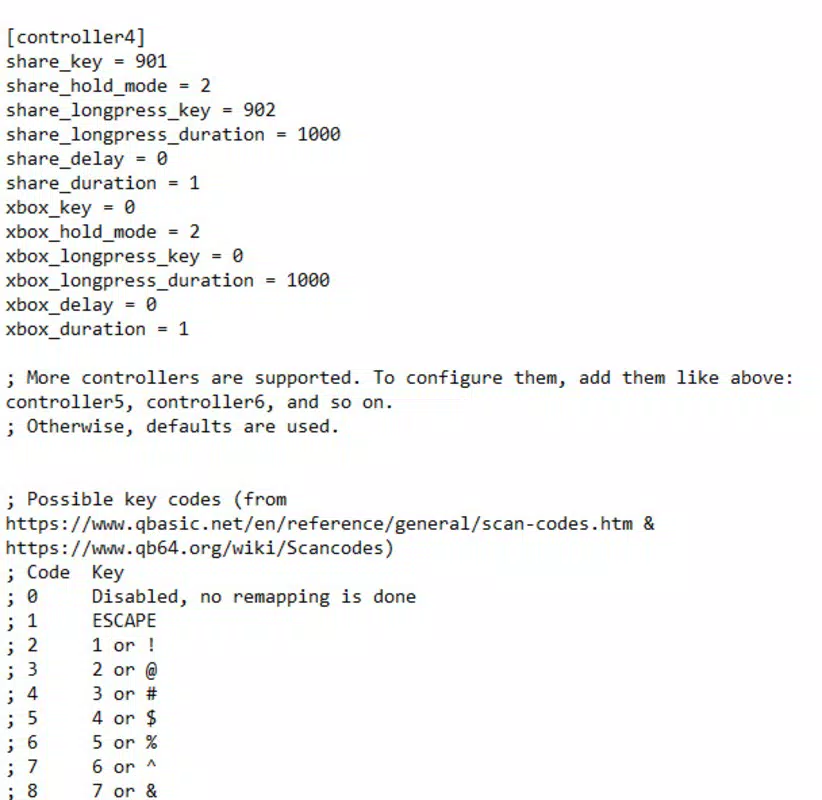
- Keyboard Key Mapping: The app supports assigning Share button actions to specific keyboard inputs, making it compatible with games that rely on keyboard and mouse inputs.
- Minimal System Impact: With a file size of just 0.9 MB, the tool consumes negligible system resources, ensuring it runs smoothly even on older or low-spec machines.
For example, a streamer can quickly capture a winning moment with a single tap of the Share button while recording a 60fps video with a longer press. A casual gamer might use it to save a rare in-game event without interrupting gameplay. The simplicity of configuration ensures that users can tailor the tool to their specific needs without requiring advanced technical knowledge.
Interface, UX & Performance
The Xbox Controller Button Remapper features a minimalist interface with no visible UI elements, relying instead on a small Xbox icon in the Windows taskbar to indicate active status. This design choice reduces visual clutter and ensures the app remains unobtrusive during gameplay. The lack of a graphical interface is intentional, aligning with its lightweight and efficient nature.
Navigating the app’s functionality is straightforward. Users interact with it primarily through the config.ini file, which contains all configuration options. Although the developer did not list formal performance metrics, the app’s minimal footprint suggests it operates efficiently across various device categories, including low-end systems. Responsiveness is maintained through direct hardware-level input handling, allowing near-instant reaction to button presses.
Stability appears to be a strength, as the tool runs in the background without interfering with game performance or system processes. The developer did not specify crash logs or error handling mechanisms, but the simplicity of the design reduces the likelihood of runtime issues. Overall, the UX prioritizes functionality over aesthetics, making it suitable for users who value performance and reliability over flashy visuals.
Platform Compatibility & Technical Requirements
The Xbox Controller Button Remapper is designed exclusively for the Windows platform. It supports the latest versions of Windows, though specific OS requirements were not listed by the developer. The application has a file size of 0.9 MB, indicating a highly compact and efficient build.
Users can download the tool as a single executable file, which requires no installation—simply unzip and run. This makes it accessible to users with limited administrative privileges or those who prefer portable software. The app is compatible with Xbox Series X|S controllers connected via USB or Bluetooth, though the developer did not specify compatibility details for other controller models.
Although the developer did not specify minimum OS requirements, the lightweight nature of the app suggests broad compatibility with modern Windows systems. No additional dependencies or drivers are required, which enhances portability and ease of use across different setups.
Pros and Cons
- Lightweight design with under 1MB footprint
- Simple setup with no installation required
- Flexible configuration through text-based settings
- Supports both short and long press actions
- Free to download and use
- No graphical user interface (may be less intuitive for some users)
- Configurable only via text file, which requires basic technical knowledge
- Not available for macOS or Linux platforms
- Specific OS version requirements were not disclosed
- Only supports Xbox Series X|S controllers (no mention of other models)
FAQ
Is Xbox Controller Button Remapper safe to download and use?
The app is free and distributed without known malware. As it is a lightweight utility that runs in the background, it does not require elevated permissions or system-level access. Users should ensure they download the file from trusted sources.
Can I use this tool with other Xbox controllers?
The app is designed for Xbox Series X|S controllers. While it may work with other Xbox controllers, the developer did not confirm compatibility with models such as the Xbox One or older versions.
Do I need to install anything to use it?
No installation is required. Simply unzip the downloaded file and run the executable. The app operates as a portable tool.
How do I change the screenshot or video settings?
Settings are managed through the config.ini file. Users can edit the file with any text editor to adjust the save location, video format, frame rate, and other options.
Is the app updated regularly?
The developer has not provided information about update frequency. However, the current version is 1.0.0, suggesting a stable initial release.
Final Thoughts
The Xbox Controller Button Remapper delivers a focused, efficient solution for gamers seeking to enhance their Xbox Series X|S controller experience on PC. Its ability to transform the Share button into a powerful capture tool with minimal system impact makes it a valuable addition to any gaming setup. While it lacks a graphical interface and platform diversity, its simplicity and performance outweigh these limitations for its intended audience.
Content creators, streamers, and PC gamers who prioritize quick, reliable screenshot and video capture will find this tool indispensable. The free price point and ease of use further solidify its value proposition. For those using Xbox Series X|S controllers on Windows, this utility offers a seamless way to maximize controller functionality.
Download Xbox Controller Button Remapper now


